Speak however you want. Read it clean.
Filler words, hesitations, false starts. VoCript strips them while you dictate.
Okay so, um, I need to, like, send this to the... the client by, uh, Friday and I think we should, you know, mention the the pricing changes first because, um, that's kind of what they're worried about right now.
I need to send this to the client by Friday. I think we should mention the pricing changes first. That's what they're worried about right now.
Write where you already work
VoCript pastes the transcribed text into whatever app you have open. No exporting, no copy-pasting.
 VS Code
 Cursor
 Claude
 Word
Word Slack
Slack Gmail
Gmail WhatsApp
 Browser
 Notion
 Outlook
Built for how you actually work.
Every profile dictates differently. VoCript adapts to yours.
Dictate code comments, commit messages, and READMEs with your Coding profile. Variable names and technical terms come out right, every time.
// TODO: refactor the auth middleware to
// use dependency injection instead of
// the global singleton pattern
Transcribe a full interview in minutes. Nothing uploads to a server: not your sources, not your draft.
"So when did you first realize the
project was going to scale beyond
what you'd planned for?"
Dictate case notes with real confidentiality. Nothing leaves your machine, so your duty of professional secrecy stays intact.
Client meeting, 10:00 AM — discussed
settlement terms, awaiting counsel's
response by Friday.
Dictate patient notes between visits. Nothing leaves your machine, so patient confidentiality never depends on a server you don't control.
Patient reports improvement after
treatment. Continue same regimen,
follow-up in 3 weeks.
Answer emails and messages by talking, faster than typing and without typos. No technical skills needed: it works in whatever app you already have open.
Hi Ana, confirming Thursday at 10.
I'll send the report over before
Wednesday. Best,
Everything you say stays on your machine.
VoCript runs Whisper directly on your CPU. No servers involved.
100% offline
Whisper runs locally on your CPU. Not a single word from your dictation touches an external server.
System audio
Transcribe what you hear: Zoom meetings, videos, podcasts. WASAPI loopback capture.
Professional profiles
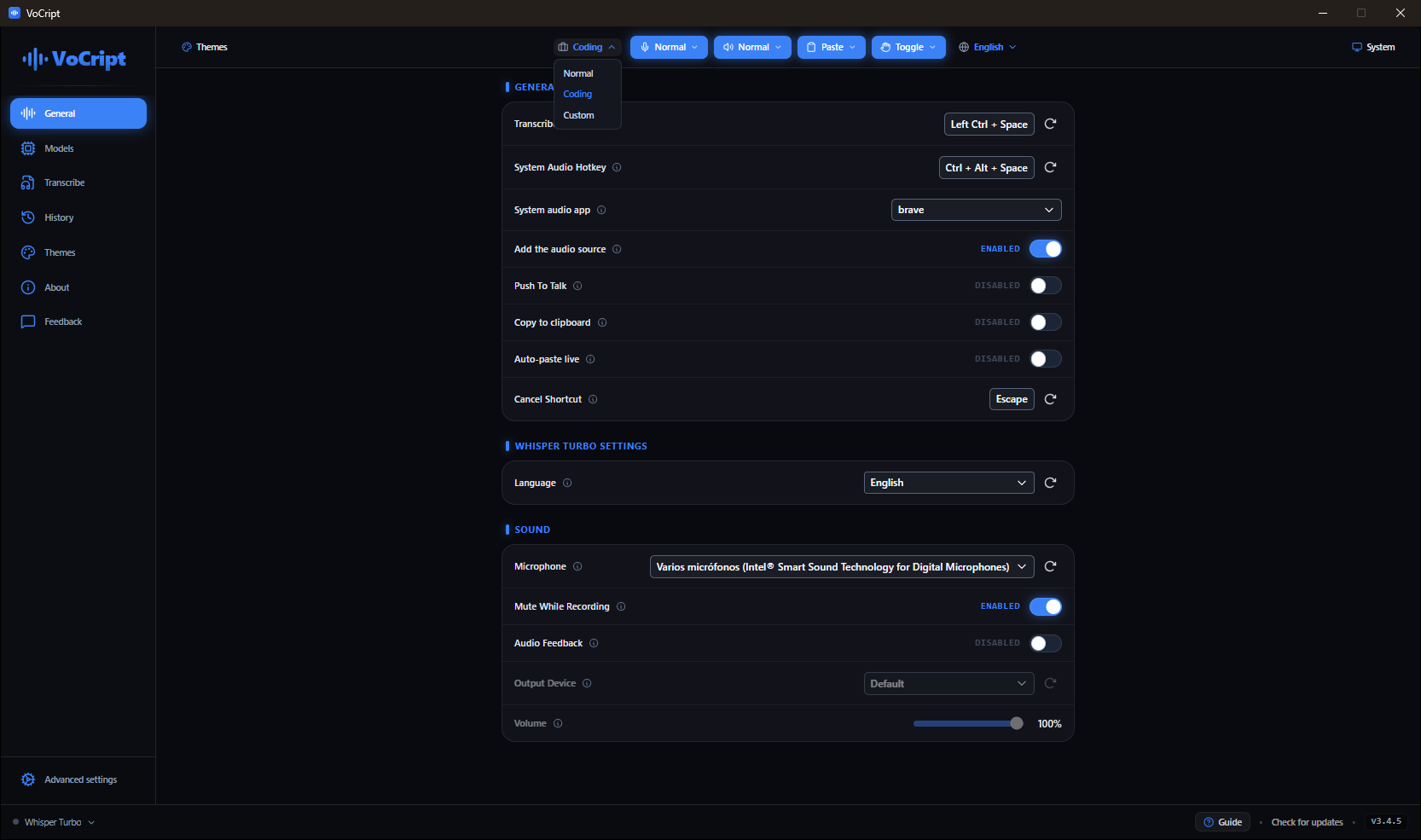
Optimized vocabulary for Normal, Coding, or Custom. The model adapts to your work.
Personal dictionary
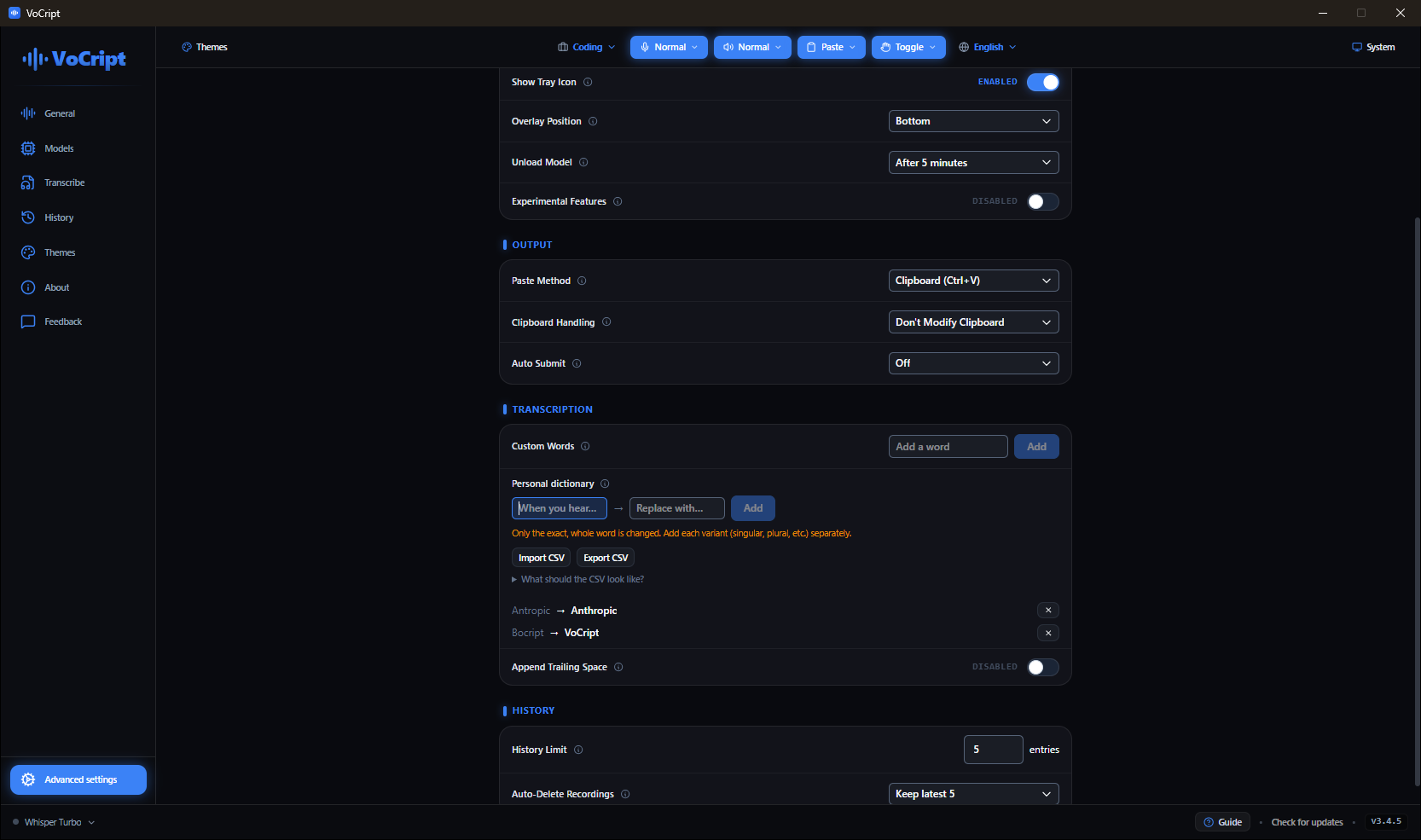
Set your own replacements. Proper names, acronyms, technical terms, always correct.
Live window
Push-to-talk or hold-to-talk mode. Transcription appears as you speak, no waiting.
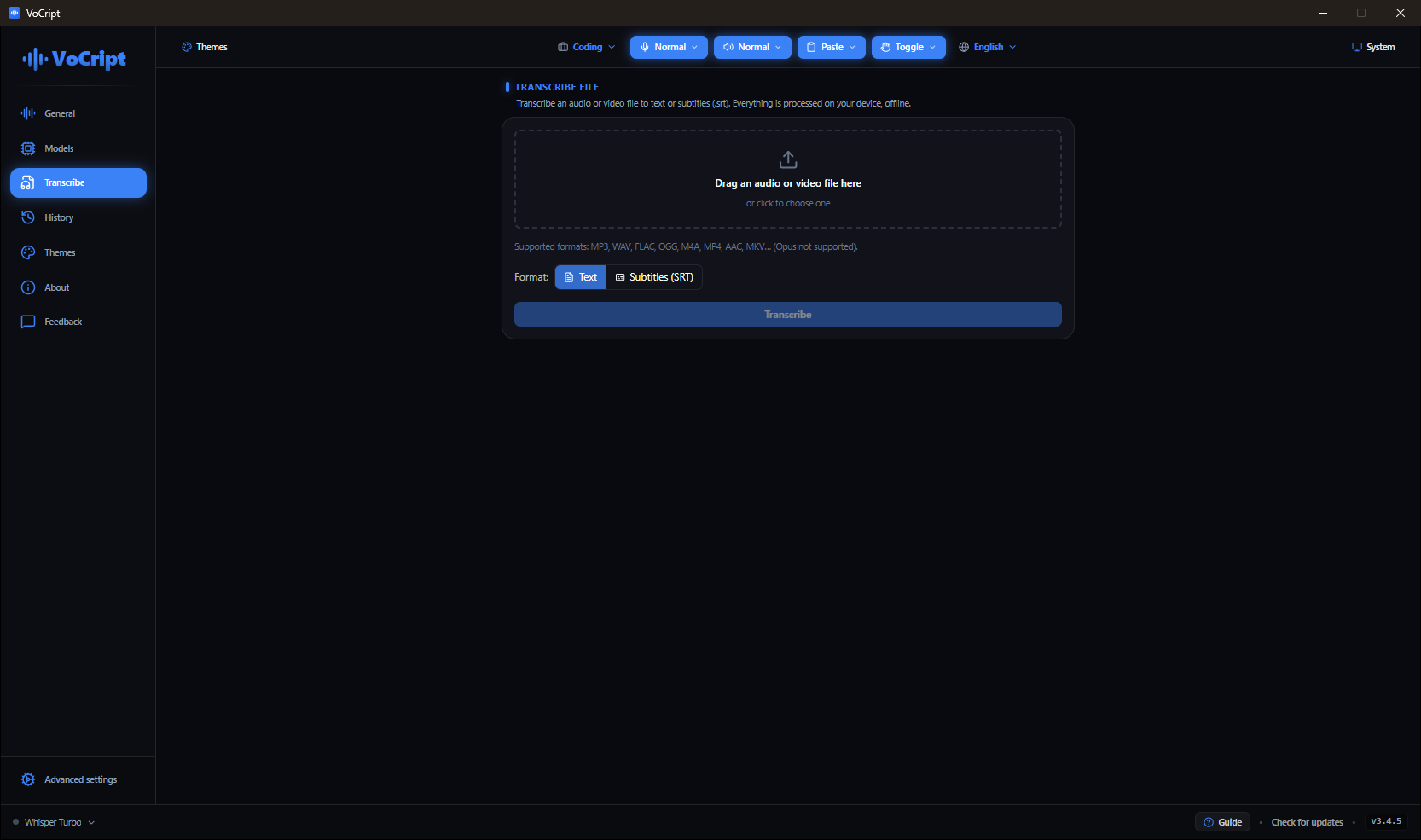
File transcription
Drop an MP3, WAV, or M4A and get the full text. No duration limit, no uploading.
No cloud involved.
Every time you use an online transcription service, someone processes your voice. With VoCript, that never happens.
Your audio never leaves your machine.
No minute quota, no premium plan.
Free now. No expiration date.
VoCript vs. cloud services
| VoCript | Cloud services | |
|---|---|---|
| Data in the cloud | Never | Always |
| Works without internet | Always | Never |
| Monthly cost | Free | $10 – $30/mo |
| Minute limit | Unlimited | Limited |
| Account required | No | Yes |
This isn't hypothetical. In 2026, Wispr Flow, a well-funded dictation app, confirmed it captures screenshots of your active window and sends them to the cloud. Its own CTO apologized publicly.
VoCript's answer: nothing ever leaves your machine.
See VoCript in action.
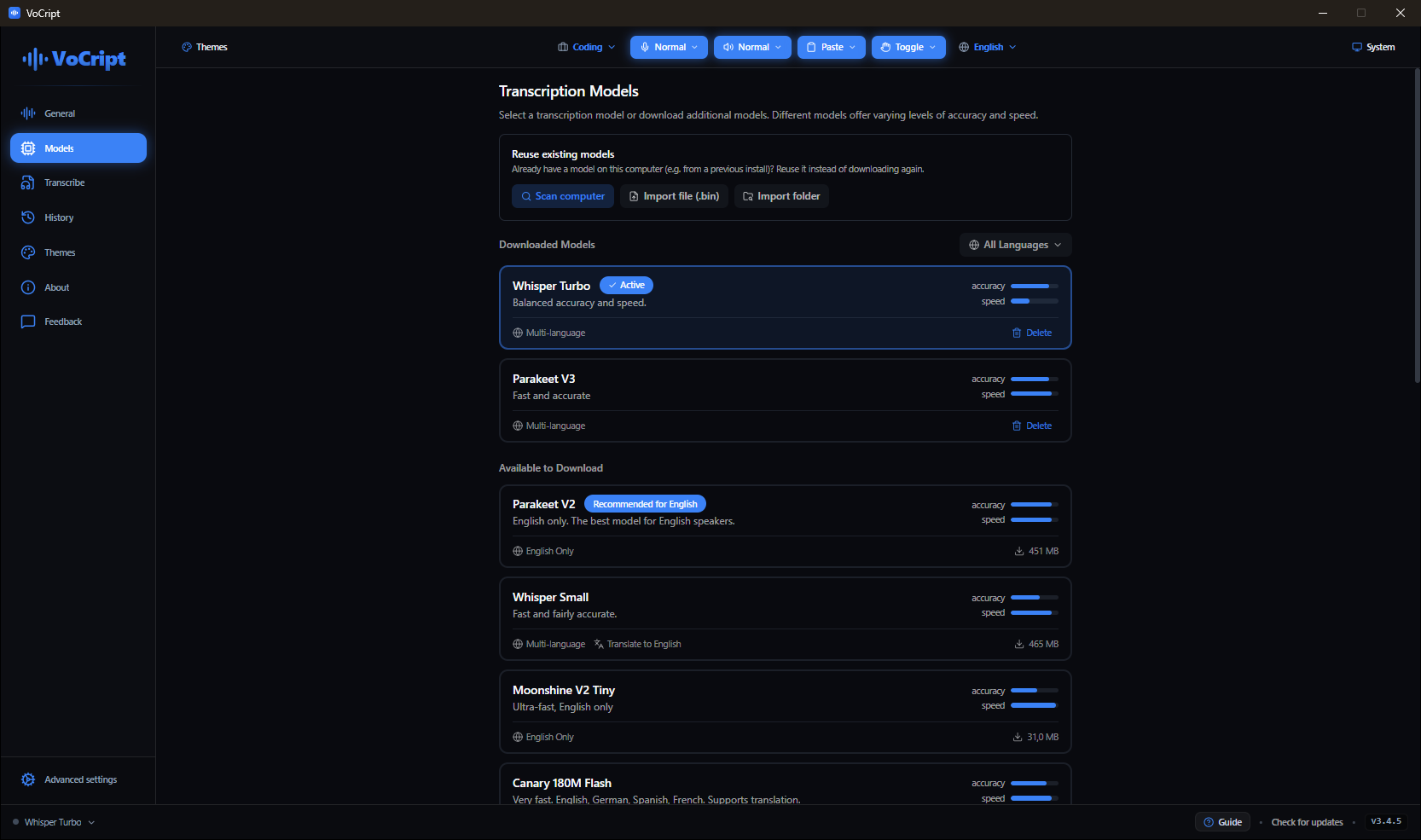
Here's what VoCript looks like on the inside.
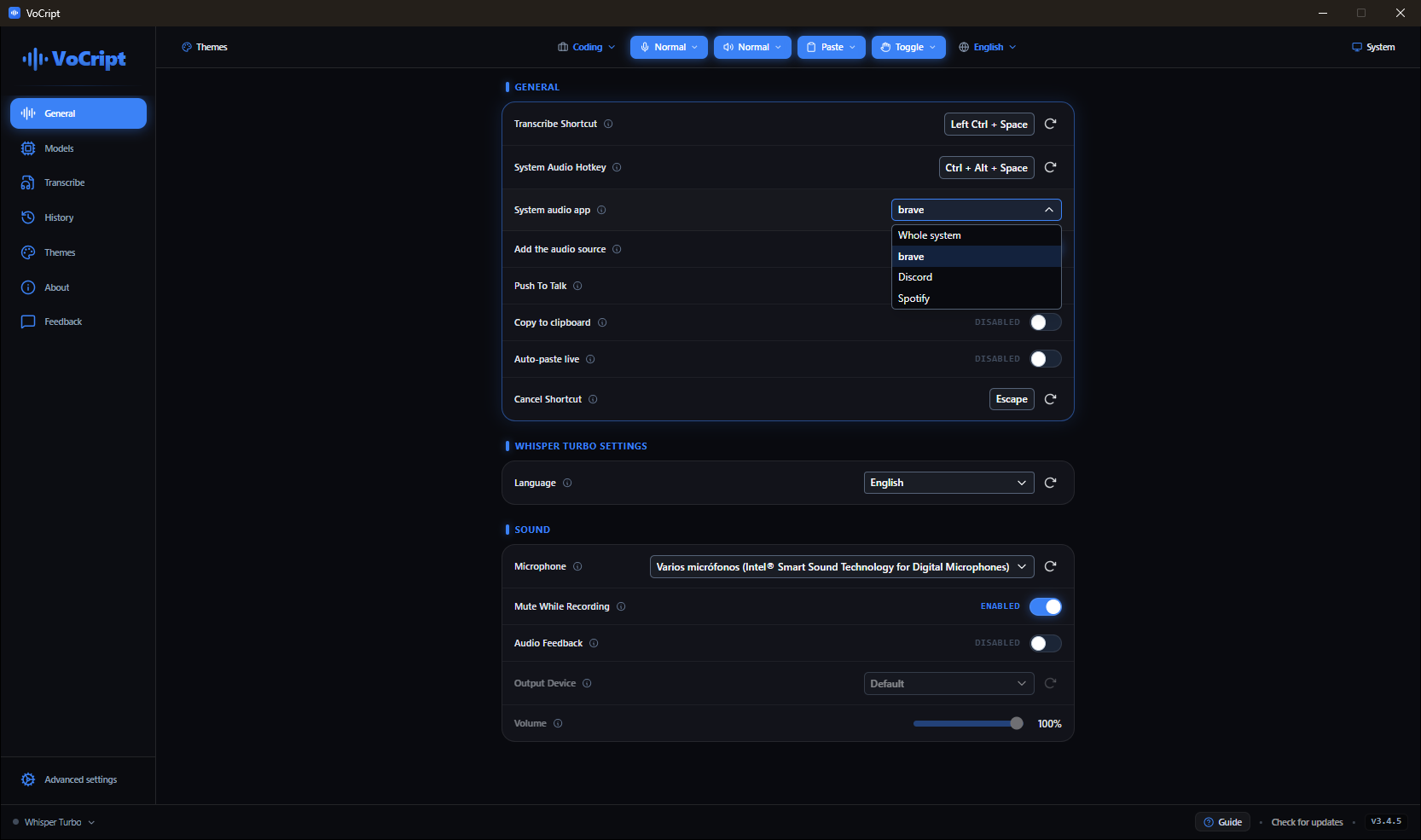
01Shortcuts, system audio and profiles, on one screen
Pick your local model. None of them needs internet
Profiles that match how you work
Your words, always written right
Whole files to text, without uploading
On Mac or Linux?
Mac and Linux are on the roadmap. Sign up and we'll notify you on launch day. No newsletters, no spam.